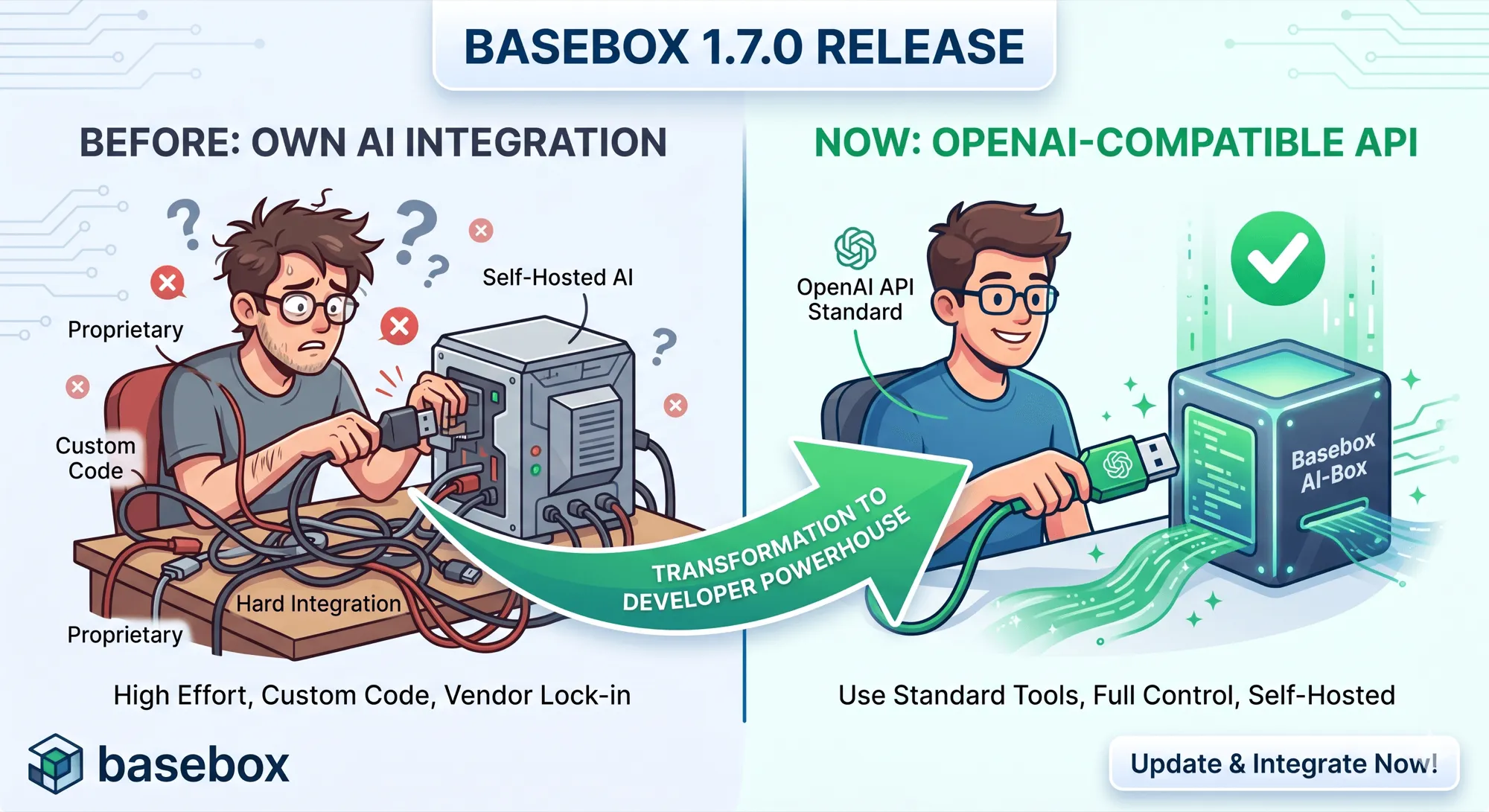
basebox 1.7.0 erweitert die KI-Plattform um eine OpenAI-kompatible API. Damit wird die Integration selbst gehosteter KI in bestehende Systeme vereinfacht – ohne dass kritische Daten die eigene Infrastruktur verlassen.
Organisationen können KI einsetzen und gleichzeitig Kontrolle über Daten, Deployment und Compliance behalten.
Warum Integration bisher ein Problem war
Viele KI-Tools, Frameworks und Entwicklungsumgebungen basieren auf dem OpenAI-API-Standard.
Für Organisationen mit eigener Infrastruktur bedeutete das bisher:
-
zusätzliche Integrationsschichten
-
Anpassung etablierter Workflows
-
erhöhter Aufwand bei Implementierung und Wartung
Das führt zu höherem Entwicklungsaufwand, längeren Integrationszyklen und zusätzlichen Betriebskosten.
Für wen ist das relevant?
Diese Erweiterung richtet sich an Organisationen mit kritischen Daten:
-
Healthcare
-
öffentlicher Sektor
-
Finanzwesen
-
kritische Infrastruktur
Typische Anforderungen:
-
keine Übertragung sensibler Daten an externe Services
-
Einhaltung regulatorischer Vorgaben (z. B. DSGVO, ISO 27001)
-
Betrieb in kontrollierten Umgebungen (On-Premises, Air-Gapped, Private Cloud)
OpenAI-kompatible API: Standard statt Sonderlösung
Mit basebox 1.7.0 steht eine OpenAI-kompatible API zur Verfügung.
Das ermöglicht:
-
direkte Nutzung vorhandener Libraries und SDKs
-
Integration in Entwicklungsumgebungen ohne Anpassung der Logik
-
Wiederverwendung etablierter Tutorials und Implementierungen
Unterstützt werden zentrale Funktionen:
-
Chat Completions
-
Streaming
-
Tool Calls
-
Model Discovery
Integration in vorhandene Entwicklungsumgebungen
Die API ist kompatibel mit gängigen Tools und Workflows, die den OpenAI-Standard nutzen.
Typische Einsatzszenarien:
-
Integration in IDEs
-
Aufbau eigener Anwendungen mit bestehenden SDKs
-
Automatisierung von Prozessen mit KI-Funktionalität
Der Integrationsaufwand reduziert sich auf Konfiguration statt Entwicklung.
Infrastruktur bleibt unverändert
Die OpenAI-kompatible API ergänzt die vorhandene Architektur.
Wichtig:
-
die GraphQL-API bleibt vollständig erhalten
-
keine Migration vorhandener Anwendungen notwendig
-
beide Schnittstellen greifen auf dieselbe Infrastruktur zu
Organisationen können current Integrationen weiter nutzen und gleichzeitig neue Standards einführen.
API direkt testen mit Swagger UI
Die integrierte Swagger UI (/v1/api/docs) ermöglicht direkten Zugriff auf die API.
Funktionen:
-
Ausführen von Requests im Browser
-
Zugriff auf konfigurierte Modelle
-
Überprüfung von Authentifizierung und Antworten
-
Debugging von Integrationen
Die Dokumentation wird automatisch aus der laufenden Instanz generiert und entspricht der Systemkonfiguration.
Verwaltung und Kommunikation in der Organisation
Tagesmeldungen
Administratoren können Informationen zentral bereitstellen:
-
Wartungsfenster
-
neue Funktionen
-
interne Hinweise
Eigenschaften:
-
sichtbar für alle Benutzer
-
zeitlich steuerbar
-
mehrsprachig
Gruppenverwaltung
Die Verwaltung von Benutzern und Berechtigungen wurde angepasst:
-
direkte Bearbeitung von Gruppen
-
Live-Suche
-
sofortige Umsetzung von Änderungen
-
Übersicht über Organisationsstrukturen
Optimiert für mobile Nutzung
basebox ist auf mobilen Geräten nutzbar:
-
stabile Chat-Funktion
-
optimierte Eingabe
-
angepasste Navigation
Sicherheit und Compliance
basebox ist für den Einsatz mit kritischen Daten ausgelegt.
Ergänzungen in 1.7.0:
-
automatisches Security Scanning (Trivy)
-
aktuelles Identity Management (Keycloak 26.5.6)
-
transaktionale Datenbankmigrationen mit Rollback
Diese Maßnahmen reduzieren Risiken im Betrieb und unterstützen Compliance-Anforderungen.
Schneller Einstieg
Die API kann direkt genutzt werden:
-
API-Token erstellen
-
Zugriff über Swagger UI testen (
/v1/api/docs) -
Integration mit OpenAI-kompatiblen Libraries umsetzen
Fazit
basebox 1.7.0 reduziert Integrationsaufwand und Betriebskosten für selbst gehostete KI.
Organisationen können etablierte Standards nutzen und gleichzeitig:
-
Kontrolle über Daten behalten
-
Compliance-Anforderungen erfüllen
-
unabhängig von Hyperscalern bleiben
Greifen Sie auf die Dokumentation zu und testen Sie die API direkt über /v1/api/docs in Ihrer basebox-Instanz.